LINQ Connect
- 4.0
- Rating
- 100.00K
- Installs
- Free
- Price

 Analysis by App-foxy
School payments are rarely difficult because the amount is complicated. They are difficult because they arrive at the wrong time, get buried in messages, or require a parent to switch between several systems. LINQ Connect is built around that very practical problem. It is an education app from EMS LINQ that lets families handle school fees and add money to meal accounts from a phone, rather than treating those tasks as paperwork that must wait until someone is at a computer.
I found the appeal easy to understand during the first week: the app gives a parent one place to check the school-related money tasks that usually get postponed. It is free, aimed at an Everyone audience, and available for devices running Android 7.0 or later. That makes it a realistic option for families using an older phone, not just people with the newest hardware.
The important question, though, is not whether LINQ Connect feels useful on the first day. Most convenience apps do. The better test is whether it still deserves a place on your phone after the initial setup is forgotten. My experience is that it can, especially for households that regularly manage school meals or fees through the LINQ system. Its long-term value depends less on entertainment or clever extras and more on whether it reduces small recurring chores without creating new ones.
You May Also Like

 Blood Strike: 2.5 Anniversary
Blood Strike’s Loadouts Turn Every Drop Into a Tactical Gamble
A close look at Blood Strike’s custom loadouts: how fast access to signature weapons reshapes its battle royale rhythm, rewards preparation, and narrows the gap between fights.

 Pandora - Music & Podcasts
Pandora’s Music Is Easy to Start, but Harder to Recover
Pandora’s strength is its low-effort path from a seed to a station. Its weak spot is how much confidence it asks you to place in connection, setup, and quiet recovery.

 8 Ball Pool
 Is Built on Rivalries, Rematches, and Routine
A close look at the rivalries, rematches, shared routines, and unanswered safety questions that turn a quick pool match into a persistent mobile community.

 Samsung Music
’s Quiet Strength Is Playing What You Already Own
Its reach comes less from spectacle than from dependable access to a personal library. That simplicity is both the app’s strongest retention engine and its ceiling.

 AccuWeather: Weather Radar
AccuWeather Review: A Quick, Clear Forecast for Everyday Decisions
For everyday plans, the best forecast is the one you can understand quickly. AccuWeather makes rain timing, radar, and local conditions easy to act on, with a few trade-offs.

 Hill Climb Racing
Why Hill Climb Racing Still Turns Crashes Into One More Run
A tiny car, a bumpy hill and one more upgrade: Hill Climb Racing keeps resurfacing because its simple chaos makes every near-miss feel personal.
More From Our News Desk



Why the first week feels worthwhile
The strongest early benefit is consolidation. Instead of remembering to visit a school website, search through email for a payment instruction, or wait until a desktop is available, I can approach the task from the same mobile app. That shift sounds modest, but school administration tends to be made up of exactly these small interruptions. A quick top-up before a school day can be more useful than a feature-rich dashboard that I only open once a term.
LINQ Connect is not a general budgeting tool, and that is actually helpful. Its purpose is narrow: school fees and meal accounts. Because of that focus, I would not install it expecting spending charts, household finance planning, or a broad payment wallet. I would install it when my school-related payments are the problem I want to solve. The app makes more sense as a practical school companion than as a replacement for a banking app.
During initial use, I would recommend taking a few minutes to check the account details carefully rather than rushing straight to a payment. School-related accounts can be easy to confuse when more than one child is involved. Before adding money, I would verify the selected student, the relevant account, and the amount shown on screen. That small pause is one of the most useful habits with an app like this because convenience is only valuable when it is attached to the correct school account.
Another first-week advantage is timing. Meal money is often a last-minute concern: a child mentions a low balance while everyone is preparing for the next morning, or a school reminder arrives when the parent is away from a laptop. A mobile-first option fits those moments better than a process designed around office hours. I would especially value that flexibility on travel days, during busy workdays, or when a family is managing several school obligations at once.
The app’s audience is also clear from its positioning. It is suitable for parents and guardians who want a direct way to manage school charges, but it is less relevant to a student who never handles payments or to someone whose school uses a completely different system. The developer is EMS LINQ, so the experience is tied to the school ecosystem rather than being a universal payment service. That is a strength when the school supports it and a firm boundary when it does not.
What to check before making it part of your routine
The first practical question is whether your school or district uses the LINQ arrangement connected to the app. A polished payment app cannot help if the institution does not recognize the account you need. I would confirm that relationship through the school’s own communication before spending time setting everything up. This is not a criticism of the app so much as a reminder that school payment tools are dependent on institutional compatibility.
The second question is whether you need occasional access or frequent access. If you only make one school payment every few months, installing a dedicated app may feel like extra clutter. If you regularly add money to meal accounts, the calculation changes. Repeated small actions are where a focused app earns its space, because the time saved accumulates even when no single transaction feels significant.
There is also a useful distinction between using the app for convenience and using it as your only record of school finances. I would still keep school notices, receipts, and any confirmation messages in the places where I normally store important household information. LINQ Connect can make the action easier, but a payment tool should not replace the habit of checking whether a charge was completed and keeping track of what was paid.
The current release is version 390.6.19, and the app has passed the early-adopter stage rather than feeling like an experimental download. Its average rating is 4.0 from around two thousand ratings, while more than one hundred thousand people have installed it. Those figures suggest a useful level of adoption, but they do not guarantee that every school account or every family workflow will feel equally smooth. My own decision would still be based on school compatibility and how often I need the service.
Month-to-month value comes from repetition
After the novelty fades, LINQ Connect has to justify itself through repetition. This is where I think it has a sensible advantage over the usual alternatives. A school website may offer the same basic destination, but a mobile app is easier to reach when the need appears suddenly. Calling the school office can be appropriate for questions, yet it is a poor substitute for a straightforward account top-up. Managing everything through a bank app is even less suitable because the bank does not necessarily know which student or school account should receive the money.
The app’s recurring value is therefore operational rather than exciting. I would open it when a balance needs attention, when a fee is due, or when I want to complete a school-related payment without turning it into a larger administrative session. That limited purpose is a benefit for families who prefer tools that do one job clearly. It is not a benefit for someone looking for a full family finance center.
A realistic example is a household with two children who attend school on different schedules. One child needs money added to a meal account while the other has a school fee to handle. The useful workflow is to open the app, deliberately identify the child connected to the relevant transaction, review the amount, and finish the task before moving on. The non-obvious lesson is that speed should come after identification, not before it. A few seconds spent checking the account can prevent the kind of mistake that makes a “convenient” tool stressful.
I would also use a calendar reminder if payments happen on a predictable schedule. LINQ Connect can make the transaction easier, but it cannot create the habit of remembering it. A recurring reminder paired with the app is more reliable than assuming I will notice a low balance at the perfect time. This combination is one reason the app can remain useful over several months: the app handles the action, while a separate routine handles memory.
For families with changing school arrangements, the value may be less consistent. A child transferring schools, moving between districts, or no longer needing meal-account support can reduce the number of occasions when the app is opened. In that situation, I would not keep it installed purely because it was once useful. Its long-term place should be earned by current need, not by the effort already spent learning it.
Where it sits beside ordinary alternatives
The usual alternative is a school website accessed through a browser. A website may be perfectly adequate for a parent who prefers a larger screen, wants to review several pages at once, or only pays a few times each year. I would choose the browser when I need to read detailed school information alongside the payment process. I would choose LINQ Connect when the task is familiar and I want to complete it from a phone with less navigation.
Another alternative is contacting the school office. That route remains better when a charge looks wrong, an account is missing, or a payment needs human clarification. An app should not be treated as customer support. Its strength is handling routine actions; the office is more appropriate for exceptions. Knowing that boundary prevents a lot of frustration and is one of the clearest reasons not to judge the app by problems it was never designed to solve.
A banking app is useful for checking whether money left an account, but it does not necessarily provide the school-specific context that makes LINQ Connect useful. The two tools serve different purposes. I would use the bank for broader financial oversight and this app for the school transaction itself. That separation may feel less elegant than having one universal app, but it is often clearer than forcing a general-purpose tool to handle a specialized task.
Maintenance is light, but not invisible
Any app that handles school payments creates a maintenance responsibility, even if the actual workload is small. I would keep the app updated, review the selected student before each transaction, and check confirmations rather than closing the screen immediately. Those are not dramatic demands, but they are the difference between a dependable routine and a rushed one.
Account organization matters more when a parent manages multiple children. The app is most useful when names, school connections, and payment destinations are kept understandable. If the account becomes confusing, the convenience advantage shrinks quickly. My practical tip is to avoid doing a payment while distracted, especially when two children have similar school needs. The app may shorten the process, but it cannot compensate for selecting the wrong context.
There is also a maintenance habit that many people overlook: remove the app when the family no longer needs it. A free app costs no purchase fee, but unused apps still occupy attention and may remain part of a cluttered routine. If a child graduates, changes schools, or stops using the relevant meal service, I would reassess whether LINQ Connect still has a job to do. That is particularly important for the long-term question of whether it earns permanent space on a phone.
The Everyone content rating makes it broadly approachable from an age-classification perspective, but the practical user is still likely to be the adult responsible for payments. I would not hand over financial responsibility simply because the interface is accessible. Children may use school meal systems, yet parents or guardians should decide who is authorized to add money and who checks the transaction history.
Because the app is free, the decision to keep it installed is mostly about usefulness, trust, and friction rather than purchase cost. That makes trial straightforward. I can see whether it fits my school routine without committing money, then keep it only if it saves enough repeated effort. Free access is valuable here, but it does not turn an incompatible school setup into a compatible one.
What can cause fatigue over time
The first source of fatigue is repetition without improvement. If every visit still requires too many checks, confusing account choices, or a return to another system, the app may start to feel like one more administrative stop. A dedicated app earns loyalty by reducing friction in a task I already have to do; it does not earn it merely by existing on the phone.
The second source is uncertainty. Payment tasks are more stressful than ordinary app actions because users want confidence that the correct account received the correct amount. If I finish a transaction and immediately wonder whether it worked, the convenience is weakened. My workaround is simple: pause long enough to read the final confirmation and retain any useful record. That habit is more important than trying to complete the process at maximum speed.
Families can also become tired of switching between school systems. One school may use LINQ Connect while another sends notices through a separate portal, and a parent may still need email or a browser for information that the app does not cover. In that situation, LINQ Connect can remain valuable for payments without becoming the central school-management tool. Expecting it to replace every school communication channel would create disappointment.
Another limitation is that its usefulness is tied to a narrow category of need. Someone who wants household spending summaries, automatic budgeting, or a single wallet for every child-related expense should look elsewhere. A general finance app may be better for seeing the complete picture, while LINQ Connect is better at the school-specific action. The right choice depends on whether the problem is payment execution or financial organization.
I would also avoid treating the rating as a substitute for personal testing. An average of 4.0 is encouraging enough to show that many users find value, but school workflows vary. The app’s 543 written reviews and its broad install base provide context, not a guarantee. My recommendation would be to test one ordinary task first, check how clearly the account is presented, and decide from that experience rather than from popularity alone.
Does LINQ Connect deserve lasting space?
In my view, LINQ Connect earns lasting space on a parent’s phone when school meal accounts or fees are recurring responsibilities and the connected school supports the service. Its best quality is not novelty. It is the removal of a small barrier that appears again and again: finding the right page, remembering the right account, and completing a payment before the issue becomes urgent.
I would recommend it to a parent who often handles school payments while away from a computer, manages more than one child, or wants a quicker alternative to calling the office for routine transactions. I would also recommend pairing it with calendar reminders and a simple habit of checking the student and confirmation screen. Those two practices turn a convenient app into a dependable monthly workflow.
I would skip it if my school does not use the relevant LINQ system, if I make school payments so rarely that another method is simpler, or if I am looking for a complete family finance application. I would also choose a browser or direct school support when I need detailed explanations, account corrections, or help with an unusual charge. The app is strongest when the task is routine and the account is already established.
After the first week, the excitement is likely to disappear, and that is fine. This is not an app that needs to entertain me to remain useful. Its lasting test is whether I still reach for it when a meal balance needs attention or a school fee must be handled quickly. For the right household, that recurring usefulness is enough. LINQ Connect is a focused education app, not a universal solution, but its focus is precisely why it can become a quiet, practical part of the school-year routine.
FAQs for LINQ Connect
01What is LINQ Connect, and what can I use it for?
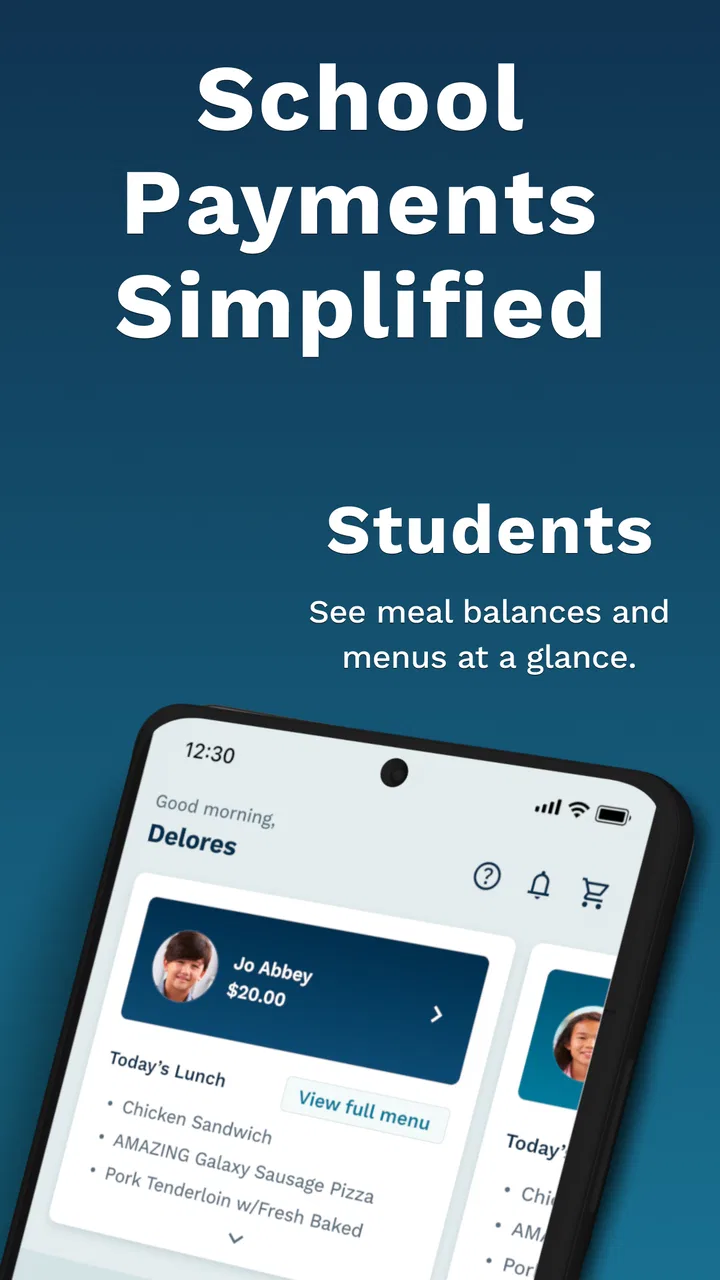
LINQ Connect is a mobile platform designed to help families interact with participating school districts and manage everyday school-related services in one place. Depending on the district, you may be able to view cafeteria balances and menus, add funds to meal accounts, manage student information, receive notifications, and access other connected services. Available features can vary, so the experience depends on your school district’s setup.
02How do I create an account and connect my student to LINQ Connect?
After installing LINQ Connect, you generally create an account using an email address and password, then select or search for your participating school district. Student linking may require information provided by the school, such as a student ID, name, or another identifying detail. If your student does not appear, verify the information carefully and contact the school district or LINQ support rather than creating duplicate accounts.
03Can I use LINQ Connect to pay for school meals?
In many participating districts, LINQ Connect allows parents or guardians to add money to a student’s cafeteria account using an available payment method. Before confirming a transaction, review the student name, account balance, payment amount, and any processing or convenience fees. Payment options and supported services are controlled by the school district, so meal payments may not be available everywhere.
04Is LINQ Connect safe for handling student and payment information?
LINQ Connect is intended to provide authenticated access to school-related accounts and payment services, but users should still follow basic account-security practices. Use a unique password, keep the app updated, avoid sharing login details, and sign out on shared devices. Carefully check payment confirmations and monitor account activity. For questions about data collection, retention, or district policies, review the provider’s privacy information.
05What should I do if LINQ Connect is not working or my account information is incorrect?
If the app fails to load, first check your internet connection, install available updates, and restart the application. Confirm that you are using the correct district and login credentials. Problems involving missing students, incorrect balances, meal eligibility, payment reversals, or school records usually must be handled by the school district because LINQ Connect displays information supplied by its systems. Use the app’s support options or contact your school directly.
Pros
- Quickly view bills
- payments
- and account details in one place.
- Convenient outage reporting and service updates from the utility.
- Usage information can help households monitor electricity consumption.
- Supports secure bill payments without visiting a payment office.
- Push notifications can keep users informed about important account activity.
Cons
- Features depend on LINQ Connect’s participating utility service area.
- Some users may need to create a separate online account first.
- Payment processing times can vary depending on the selected method.
- The app offers limited value if you rarely manage your utility account.
- Occasional maintenance or connection issues may temporarily limit access.

LINQ Connect
Gallery